Select
This page will explain how to use the Select cue of the Cues library.
Select objects are useful when you need a user to select a single option out of a list of options. The result is a dict containing a str.
Before we start, make sure you have Cues installed.
Setting up
Select objects have three required parameters:
Parameters |
Type |
Optional |
Default |
|---|---|---|---|
name |
str |
No |
|
message |
str |
No |
|
options |
iterable |
No |
The signature for the __init__ method of a Select object:
def __init__(self, name, message, options):
    # ...
We first need to start by importing Select from the Cues library:
from cues import Select
Now, we need to instantiate a Select object. We can do this with a little bit of setup by initializing some variables:
name = 'programming_language'
message = 'Which one is your favorite programming language?'
options = [
    'Python',
    'JavaScript',
    'C++',
    'C#'
]
In the code above, we created the variables name and message:
namewill be used to retrieve the results from aSelectobjectmessageis the text that will be displayed to the user
In addition to those, we also created a options variable. This will be used to present a list of options for the user to pick from. This variable can be any iterable that contains str objects.
Now that our setup is complete, we can go ahead and initialize a Select object and ask the user to select one of our options by invoking our instance’s send method:
cue = Select(name, message, options)
answer = cue.send()
When you “send” the cue to the user, they will be presented with something that looks like the following:
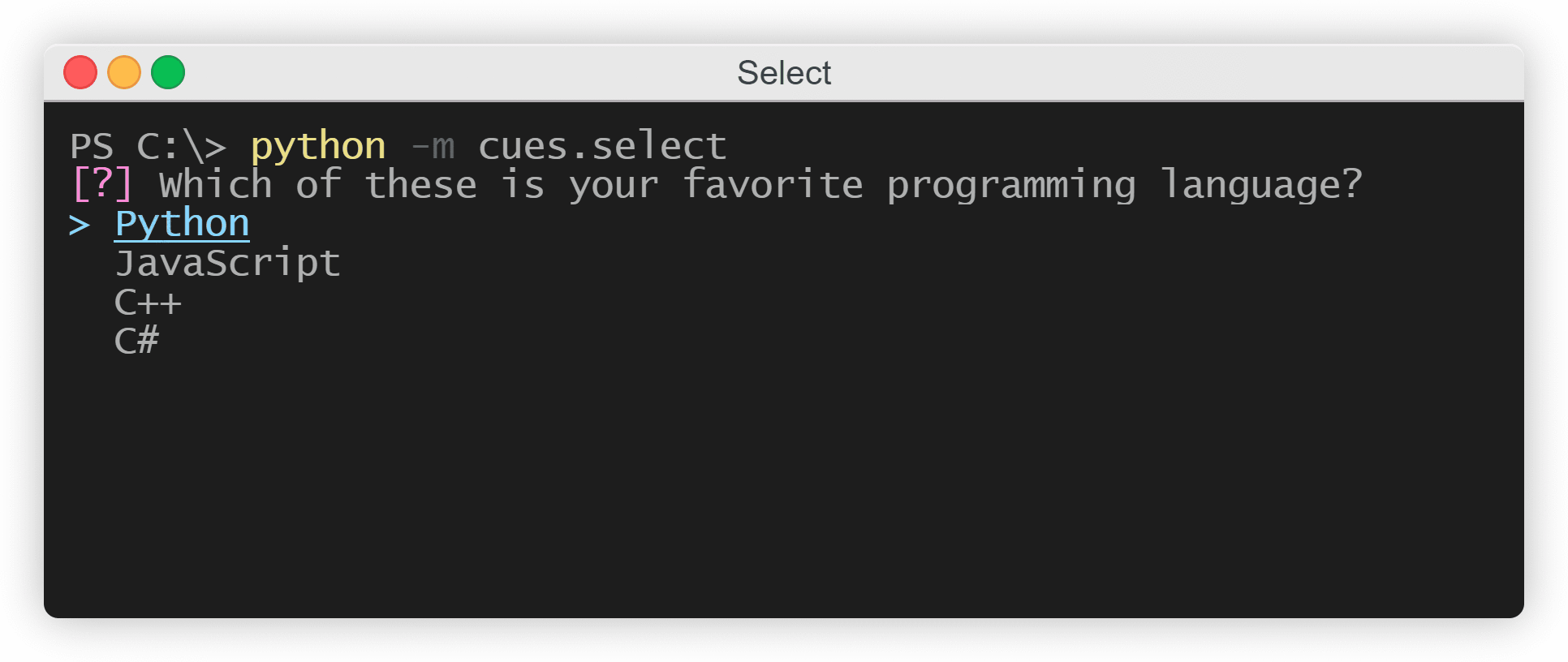
The Select cue
Once the user is done perusing and has selected an option, a dict consisting of the name variable and the option the user chose will be returned. The result will resemble the following:
{'programming_language': 'Python'}
Instantiating from a dict
In the previous example, we initialized separte variables for the __init__ method of a Select object. However, we could also make use of the class’s from_dict classmethod and instantiate by using a dict instead:
from cues import Select


select_dict = {
    'name': 'programming_language'
    'message': 'Which one is your favorite programming language?'
    'options': [
        'Python',
        'JavaScript',
        'C++',
        'C#'
    ]
}

cue = Select.from_dict(select_dict)
answer = cue.send()
The names for the values in this dict must be the same as the names of the parameters in the __init__ method.